

What’s a Status Page?
Status pages let you share the health of your systems with the people who depend on them, from internal teams to customers and partners. Rootly’s Status Pages keep your stakeholders up-to-date on the systems most relevant to them, without taking your responders’ focus off of the incident.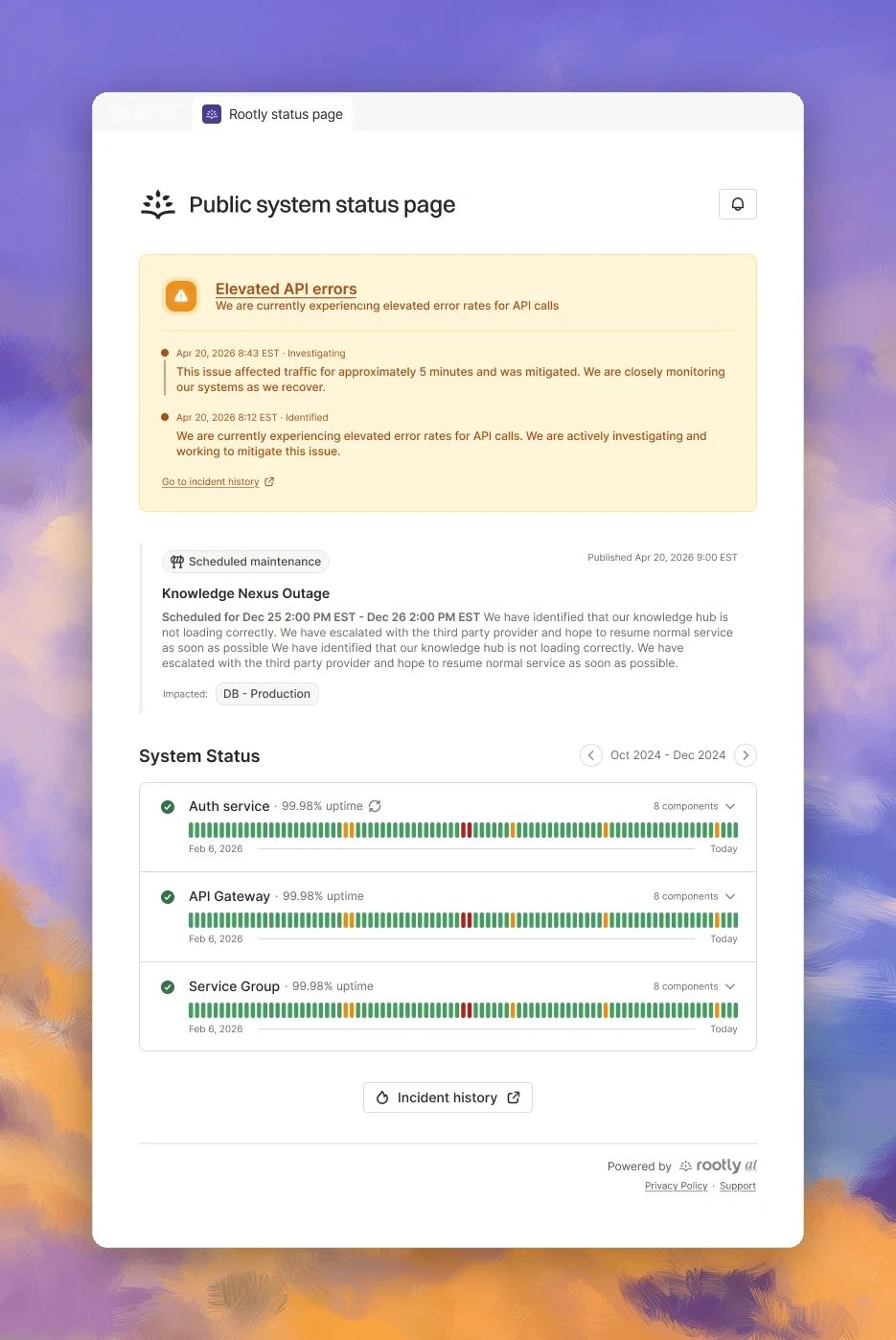
How a Status Page Works
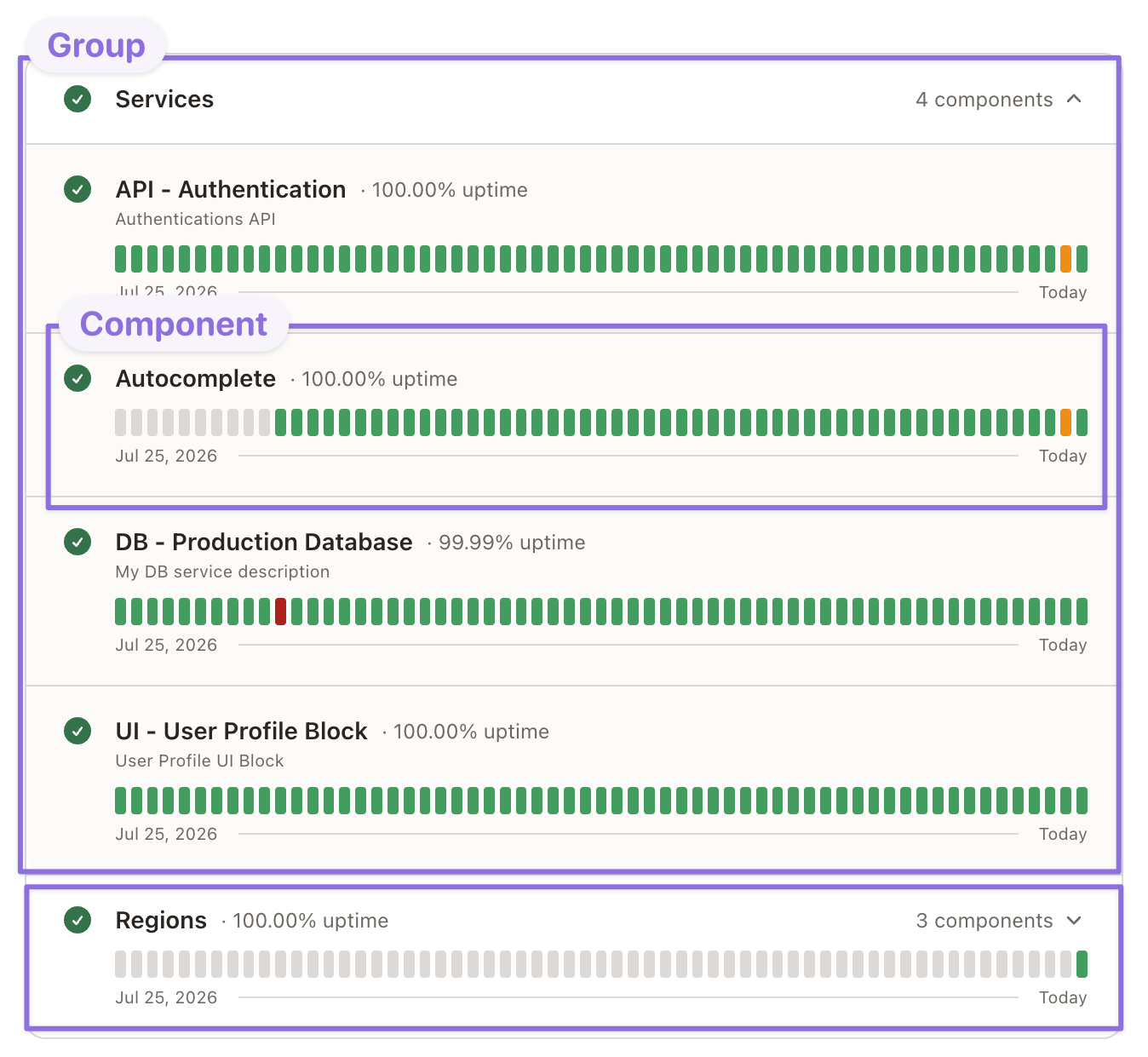
A status page is built from a few pieces.- Components: The parts of your product that customers see on the page. Add services from your catalog, or create custom items for anything that isn’t a catalog service, like “Login” or “Checkout”. See Components.
- Groups: Organize components into groups, up to two levels deep. A group shows the status of its most affected component, so one degraded region shows as one degraded region, not a page full of red. See Grouping and Ordering.
- Updates: What you post to the page. There are three types:
- Incident: an unplanned issue.
- Scheduled maintenance: planned work with a start and end time.
- Announcement: a standalone notice, shown as a banner at the top of the page.
Public or Private?
This is the first choice you make, and it shapes everything after it. The page type sets who can reach the page at all. Authentication and a custom domain are options you layer on top of a public page afterwards. Rootly has two types of status pages: public and private. Both can share information about ongoing or past incidents and the status of your services.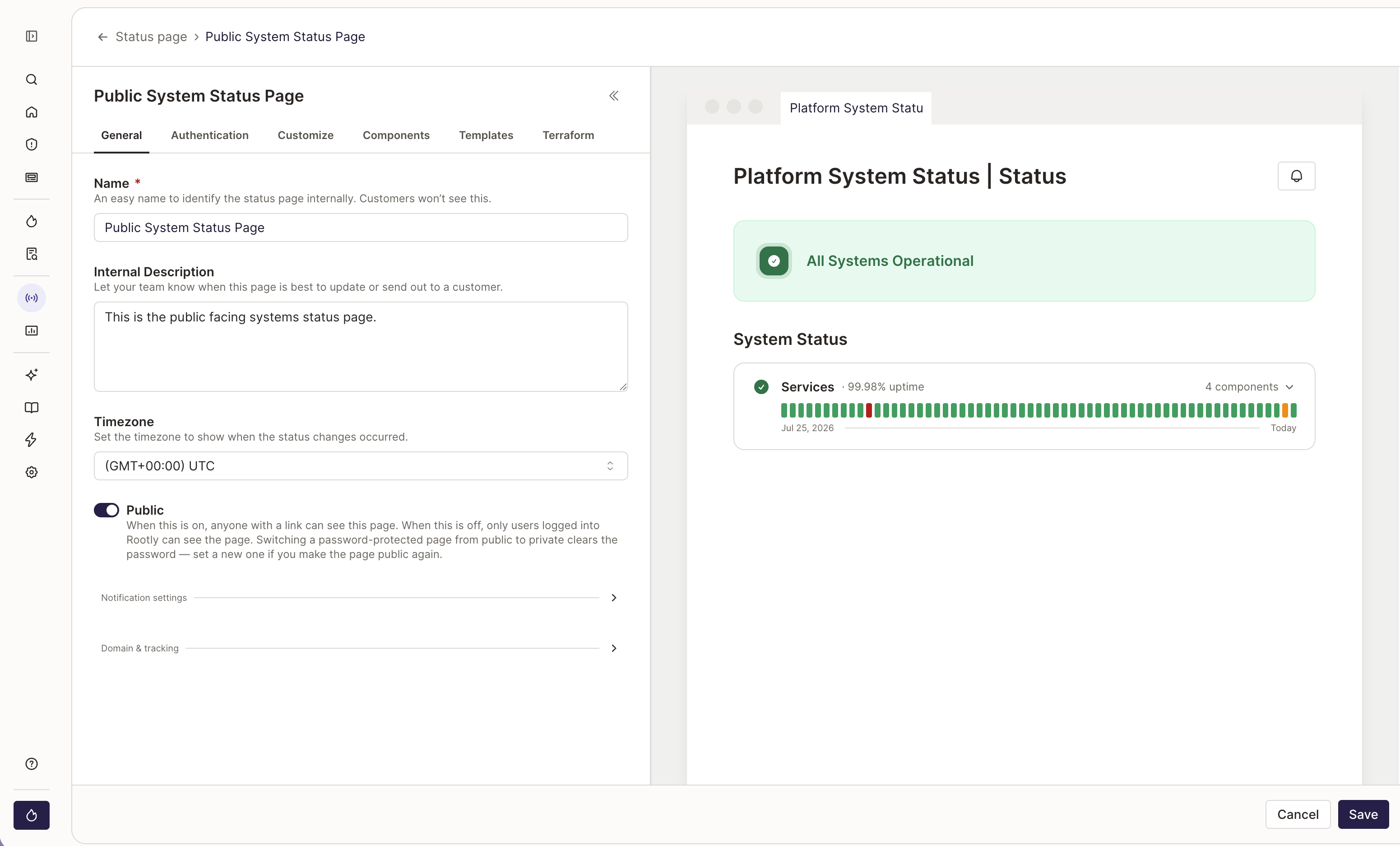
Private Status Pages
Private Status Pages
Private status pages can only be accessed by Rootly users. They’re great for sharing important incidents and service health with your internal teams. Users must be logged in to Rootly to access the page.
Public Status Pages
Public Status Pages
Public status pages can be accessed by anyone with the page’s URL. They’re the right choice for sharing incident updates and service health with customers and partners.
Related Pages
Creating a Status Page
Set up a status page after picking a type.
Publishing Incidents
Push incident updates to a status page from Web or Slack.
Custom Domain Names
Point your own domain at a status page with CNAME + CAA records.