> ## Documentation Index
> Fetch the complete documentation index at: https://docs.rootly.com/llms.txt
> Use this file to discover all available pages before exploring further.
# Rootly AI on Mobile
> Get an Incident Summary card and the Rootly AI chat on your phone while on-call, with the same privacy controls as the web and Slack experiences.
## Overview
On any incident you have access to, the mobile app gives you an **Incident Summary** card and the conversational **Rootly AI** agent.
Rootly AI on mobile uses the same capabilities and privacy controls as the web and Slack experiences. See [Rootly AI](/ai/ai) for the overview, plus [Data Privacy for AI Summaries](/ai/data-privacy-for-ai) (Incident Summary card) and [Data Privacy for Rootly AI](/ai/data-privacy-for-rootly-ai) (conversational agent).
***
## Enabling Rootly AI on Mobile
Incident Response Owners and Admins with an Incident Response seat turn Rootly AI on for mobile from **AI & Agents** in the web app. Each mobile surface has its own toggle.
| Toggle | What it controls |
| - | - |
| **Opt in to Rootly AI capabilities** | The self-service gate for the mobile summary and agent features below. It does not enable or disable AI SRE, which your Rootly account team controls separately. |
| **Incident summarization** | The **Incident Summary** card on an incident's Details tab in mobile. Shares one toggle with the Slack summary features. |
| **Rootly Agent in Mobile** | The **Rootly AI chat panel** behind the Ask Rootly launcher on mobile. Enabled separately from **Rootly Agent in Web**. |
Only those roles can change these settings. Incident access follows your existing Rootly permissions.
***
## Incident Summary
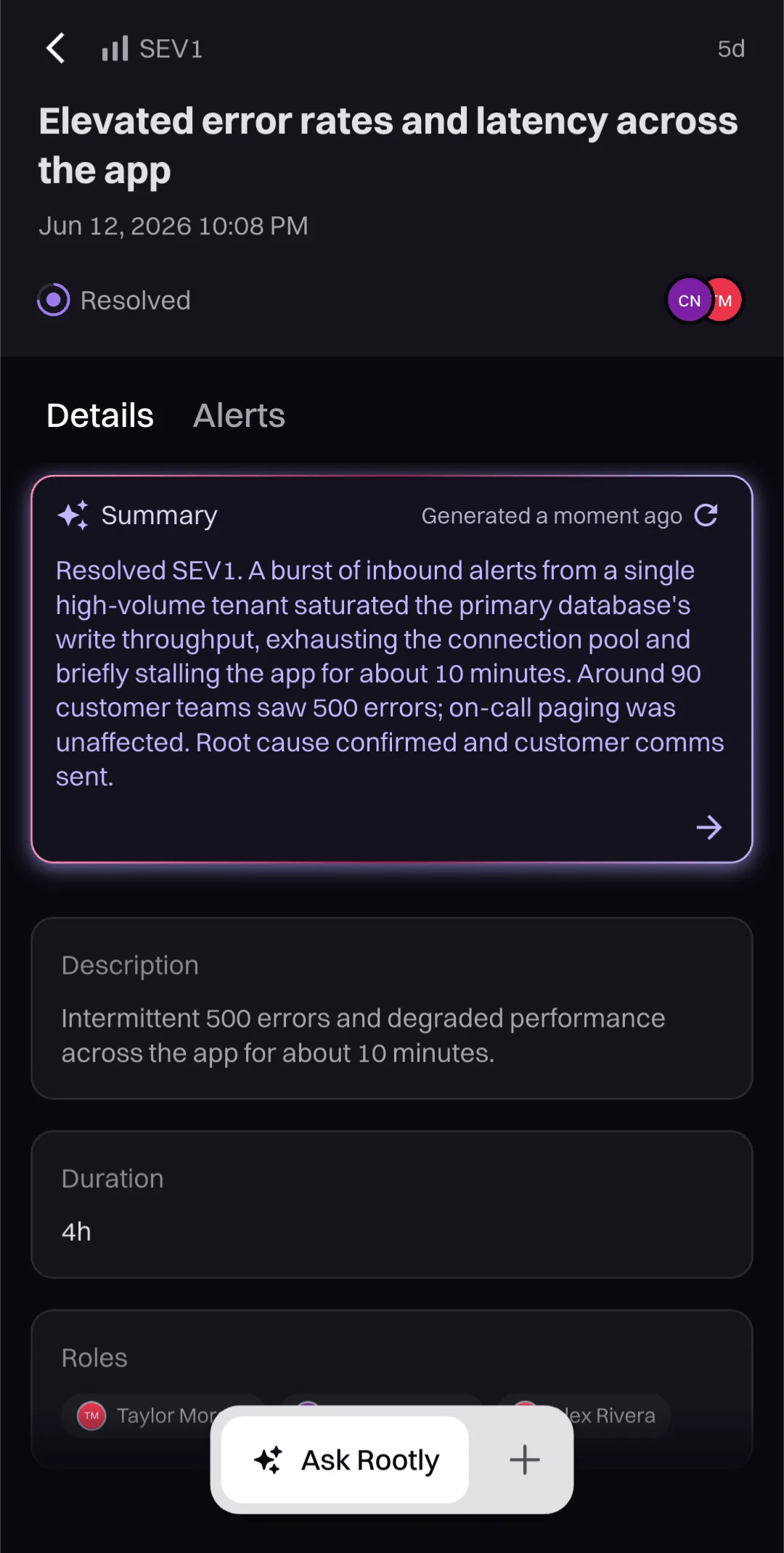
On an incident's **Details** tab, Rootly AI shows a **Summary** card with a short, plain-language overview of what happened and where things stand. Regenerate it at any time to reflect the latest state.
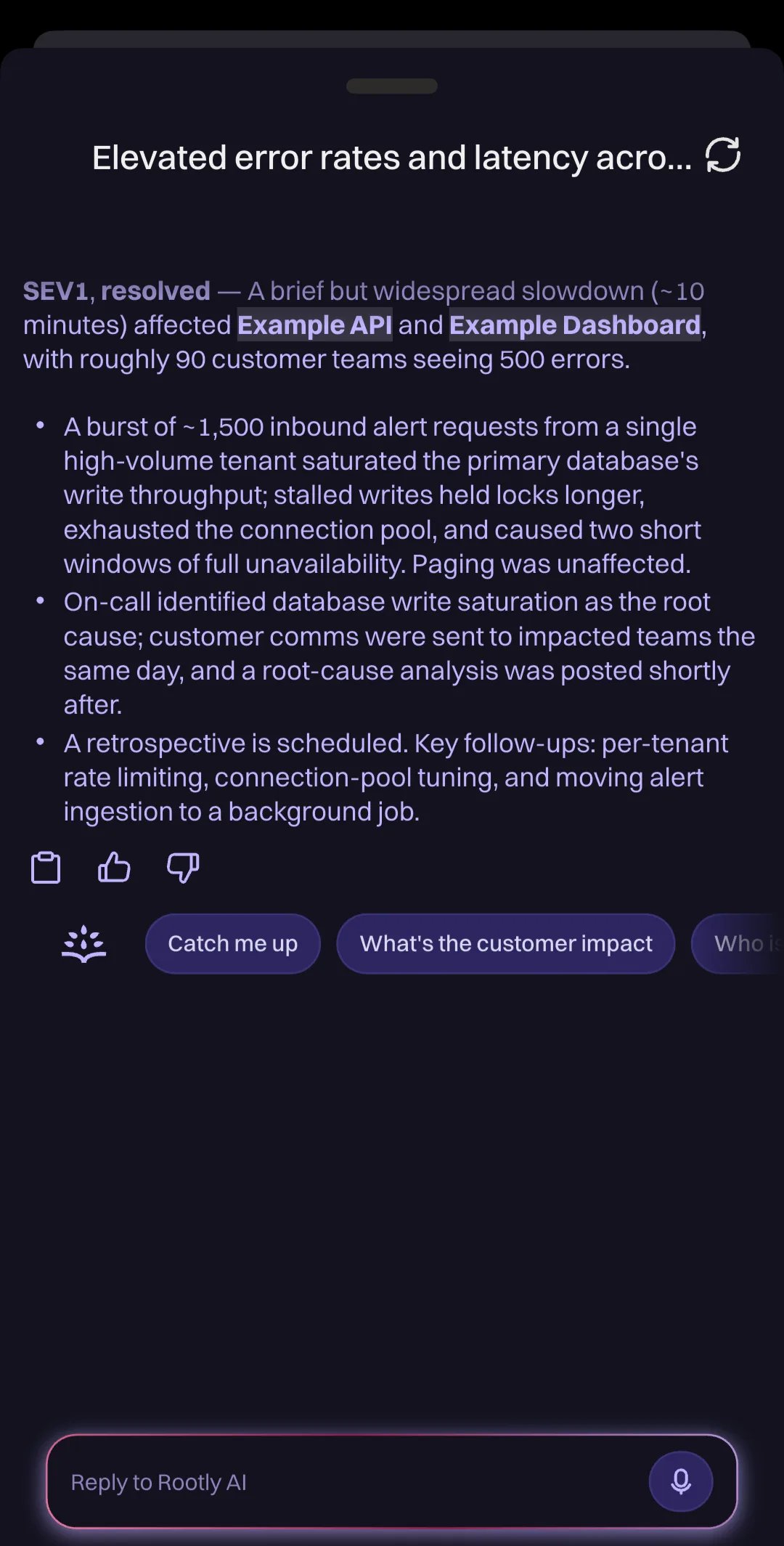
 Tap the card, or the **Ask Rootly** launcher, to open the full summary in the Rootly AI panel. It breaks the incident down into key points such as the impact, the root cause, the current status, and what's left to do, with suggested questions to dig deeper.
 ***
## Rootly AI Chat
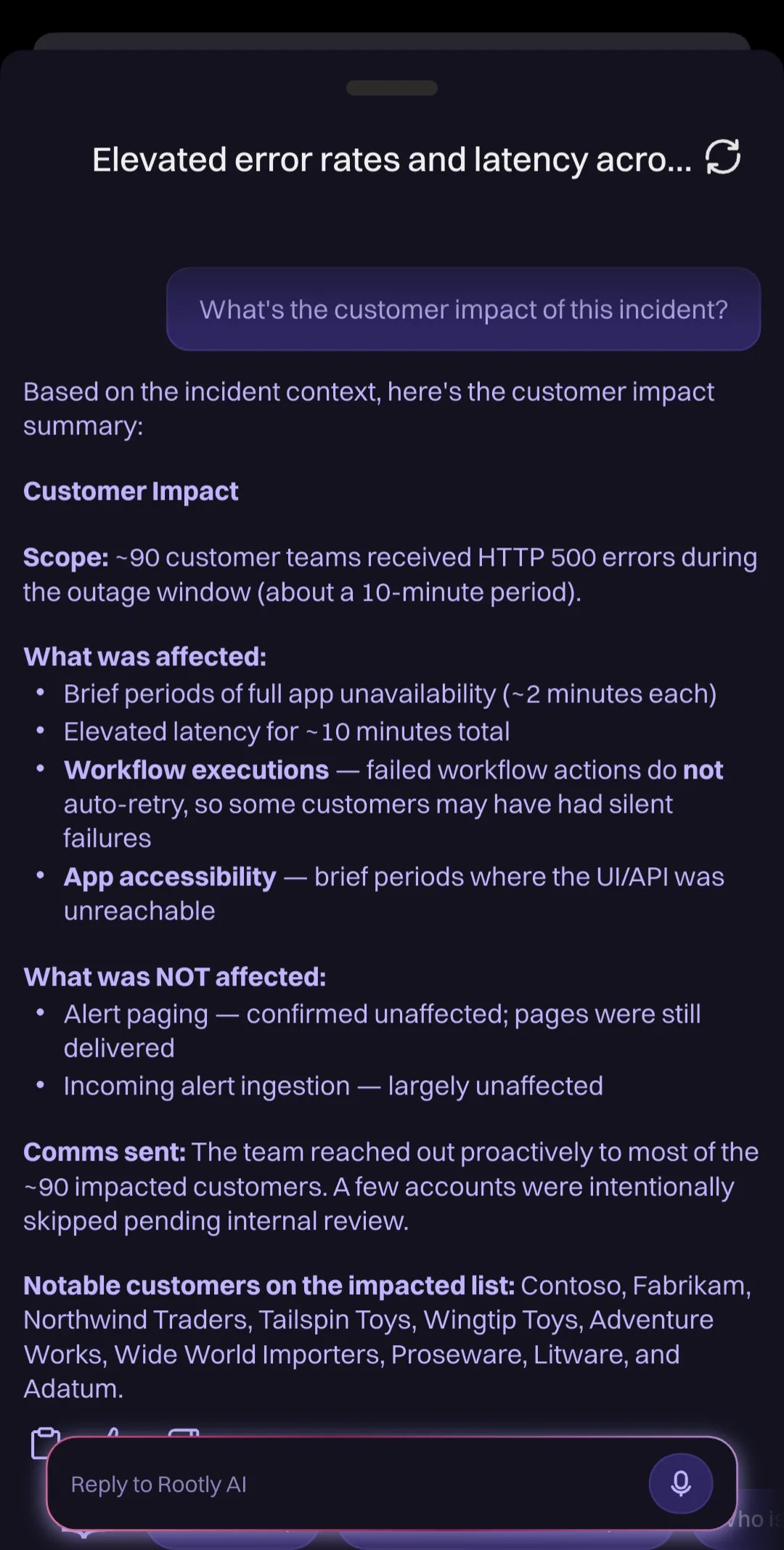
The **Rootly AI** panel is an AI agent for the incident you're viewing. It answers questions in natural language, grounded in that incident's live context: its timeline, severity, status, roles, alerts, and related Slack discussion.
Tap **Ask Rootly** to open the chat. Four suggested prompts get you started:
* **Catch me up**
* **What's the customer impact**
* **Who is working on what?**
* **Show open action items**
***
## Rootly AI Chat
The **Rootly AI** panel is an AI agent for the incident you're viewing. It answers questions in natural language, grounded in that incident's live context: its timeline, severity, status, roles, alerts, and related Slack discussion.
Tap **Ask Rootly** to open the chat. Four suggested prompts get you started:
* **Catch me up**
* **What's the customer impact**
* **Who is working on what?**
* **Show open action items**
 Your conversation is saved per incident and picks up where you left off.
Rootly AI on mobile can **update the incident** on your behalf: status and severity changes, plus incident field updates. It shows you the change and asks for confirmation before anything runs, and it can only do what you can do in Rootly, nothing more. Paging responders and publishing status page updates stay in [Rootly AI in Slack](/ai/rootly-in-slack/overview).
***
## Related Pages
Install the mobile app and configure notifications and critical alerts on iOS and Android.
Every Rootly AI surface and how they all fit together.
How Rootly AI handles data access, encryption, RBAC, audit logs, retention, and PII redaction.
The same AI agent in your incident Slack channels.
This documentation is built and hosted on [Mintlify](https://mintlify.com), a developer documentation platform.
Your conversation is saved per incident and picks up where you left off.
Rootly AI on mobile can **update the incident** on your behalf: status and severity changes, plus incident field updates. It shows you the change and asks for confirmation before anything runs, and it can only do what you can do in Rootly, nothing more. Paging responders and publishing status page updates stay in [Rootly AI in Slack](/ai/rootly-in-slack/overview).
***
## Related Pages
Install the mobile app and configure notifications and critical alerts on iOS and Android.
Every Rootly AI surface and how they all fit together.
How Rootly AI handles data access, encryption, RBAC, audit logs, retention, and PII redaction.
The same AI agent in your incident Slack channels.
This documentation is built and hosted on [Mintlify](https://mintlify.com), a developer documentation platform.